Best Budget Laptops: What to Prioritize
A cheap laptop that frustrates you daily is more expensive than a slightly pricier one that lasts. Four specs decide which you get, and the price tag buries all of them.
Written by the DealNook team · Updated October 2026
RAM is the first thing to check, not the CPU
Under $600, the most common cause of a laptop feeling slow is 4GB or even 8GB of RAM with a modern browser's worth of tabs open. Aim for 16GB. It is the cheapest upgrade with the biggest daily impact, and on many budget laptops the RAM is soldered, so you cannot add it later. A mid CPU with 16GB beats a faster CPU choked by 8GB for the browsing, documents, and video most people actually do.
Storage: type matters more than size
Any laptop in this range should have an SSD, not a spinning hard drive. An SSD is the difference between booting in ten seconds and booting in a minute. 256GB is the practical minimum; 512GB if you keep photos or games locally. Avoid eMMC storage, a slow flash type found in the cheapest machines that behaves like a hard drive. If a listing says eMMC, keep scrolling.
The screen you stare at all day
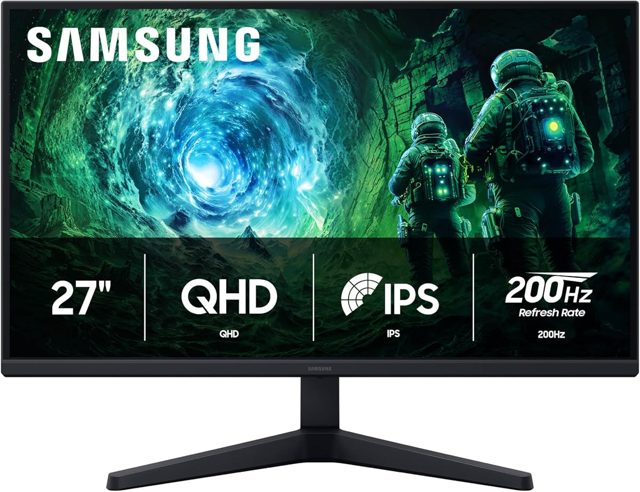
Budget laptops cut corners on the display first. Insist on 1080p (1920x1080) resolution — 1366x768 panels still ship and look coarse. Next, look for "IPS" rather than "TN," because TN panels wash out the moment you shift your head. Brightness around 250 to 300 nits is fine indoors. The screen is the part you interact with constantly, so it is worth protecting from the cost-cutting.
Windows, Chromebook, or Mac
If your work lives in a browser and Google apps, a Chromebook does it faster and cheaper, and the cheap ones feel fast because they ask less of the hardware. If you need Office installed, specific Windows software, or gaming, you need Windows. A refurbished or last-gen MacBook Air sometimes dips near this range on sale and outlasts most budget Windows laptops, so it is worth comparing if your tasks are light.
Build and battery, the quiet dealbreakers
Hinges, keyboard flex, and battery life separate a laptop you keep for four years from one you replace in eighteen months. Aim for a real-world 8 hours of battery, which usually means a spec sheet claim of 10 or more. A metal or reinforced chassis survives a backpack; the flimsiest plastic ones develop a cracked hinge. These rarely show in the headline specs, so check a review photo of the ports and hinge area.
| Spec | target | avoid |
|---|---|---|
| RAM | 16GB | 4GB, or soldered 8GB |
| Storage | 256–512GB SSD | eMMC or hard drive |
| Screen | 1080p IPS | 1366x768 or TN |
| CPU | Current-gen i5 / Ryzen 5 | Old Celeron / Pentium |
| Battery | 8+ real hours | Under 6 hours |
What a fair price looks like
Chromebook / basic
Great for browsing and docs. Skip for heavy Windows software.
The practical pick
16GB, 256GB+ SSD, 1080p IPS, current CPU. Lasts years.
Near-premium on sale
Better screen and build, sometimes a last-gen flagship clearing out.
Common questions
How much RAM do I really need?
16GB for comfortable everyday use with a browser, email, and documents. 8GB works for light, single-task use but struggles with many tabs. 4GB is frustrating on any modern system.
Is a Chromebook good enough?
If your work is web-based — Google Docs, email, streaming, light apps — a Chromebook is faster and cheaper than a budget Windows laptop. It falls short for installed software, serious gaming, or heavy photo and video editing.
SSD or more storage?
An SSD matters far more than raw capacity. A 256GB SSD feels dramatically faster than a 1TB hard drive. Get the SSD first, then size up if you store large files locally.
Should I buy refurbished?
Manufacturer-refurbished laptops from the maker or a reputable seller, with a warranty, are a strong value and often get you last year's premium machine for budget money. Avoid no-warranty marketplace listings.